
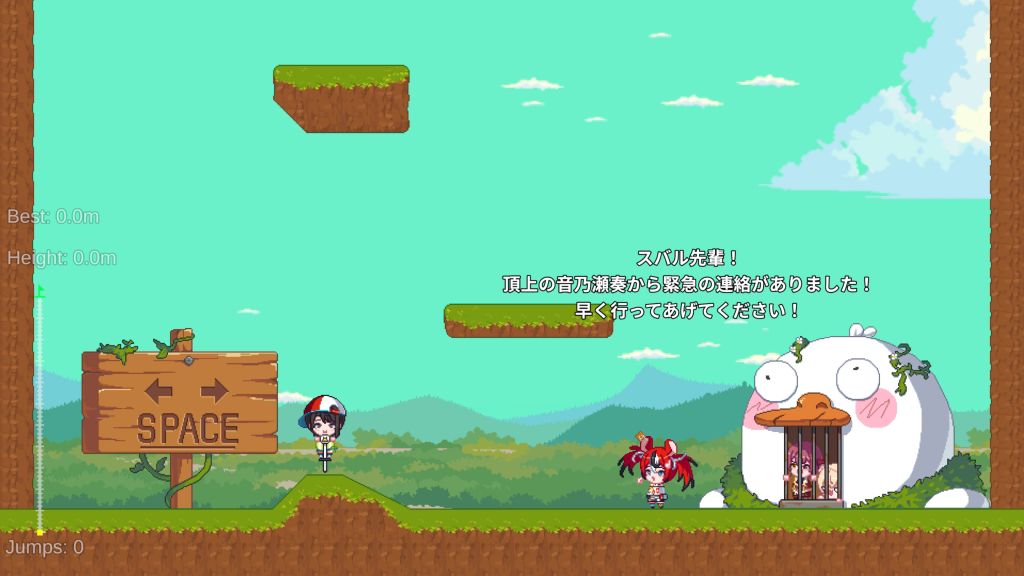
What controls are actually confirmed?
The official Steam description and CCMC announcement both describe the same core loop: adjust the angle, control the height or power of the jump, then bounce upward on a pogo stick. The challenge comes from preserving control because a bad jump can erase a large amount of vertical progress.
| Mechanic | Confirmed before launch | Not yet confirmed |
|---|---|---|
| Aim | You adjust jump angle | Exact input binding |
| Jump | A jump gauge / power control is part of the mechanic | Exact charge timing values |
| Movement | Repeated pogo bounces carry Subaru upward | Whether every surface reacts identically |
| Failure | Mistakes can send you far back down | Checkpoints or safety mechanics |
What should you learn first?
Learn one variable at a time. First get comfortable changing jump height without also making aggressive angle changes. Then practice angle control at a consistent power level. That practice order follows the two variables the official description explicitly calls out; it is not presented as a tested speedrun method.
Does the game use checkpoints?
The available official material does not confirm a checkpoint system. The store copy stresses that a small mistake can send you back toward the starting point, so plan around meaningful loss of height until launch-day play confirms otherwise.
Can I use a controller?
Steam metadata exposes controller-related store configuration, but the pre-release public page does not provide a final control map. We will add exact keyboard and controller bindings only after they can be verified from the shipped build or official documentation.